Leaderboard



Popular Content
Showing content with the highest reputation on 09/11/2019 in all areas
-
I know that WiFi Ranger does software updates. About three years ago I was camped in some commercial RV park and saw a notice for a software update on my WiFi Ranger. Without thinking I simply clicked on the update and went to bed. The next morning my WiFi Ranger would not work. Long story, short - when you see that message to not turn off your device while an update takes place - obey it! During the download, the campground's wifi connection was lost which caused a total software failure in the Ranger. Yes, I know that one would think that they would/could have prevented that, but they didn't. The good news is that with the great help of the Service guys at Oliver, WiFi Ranger replaced the unit under warranty. Bill2 points
-
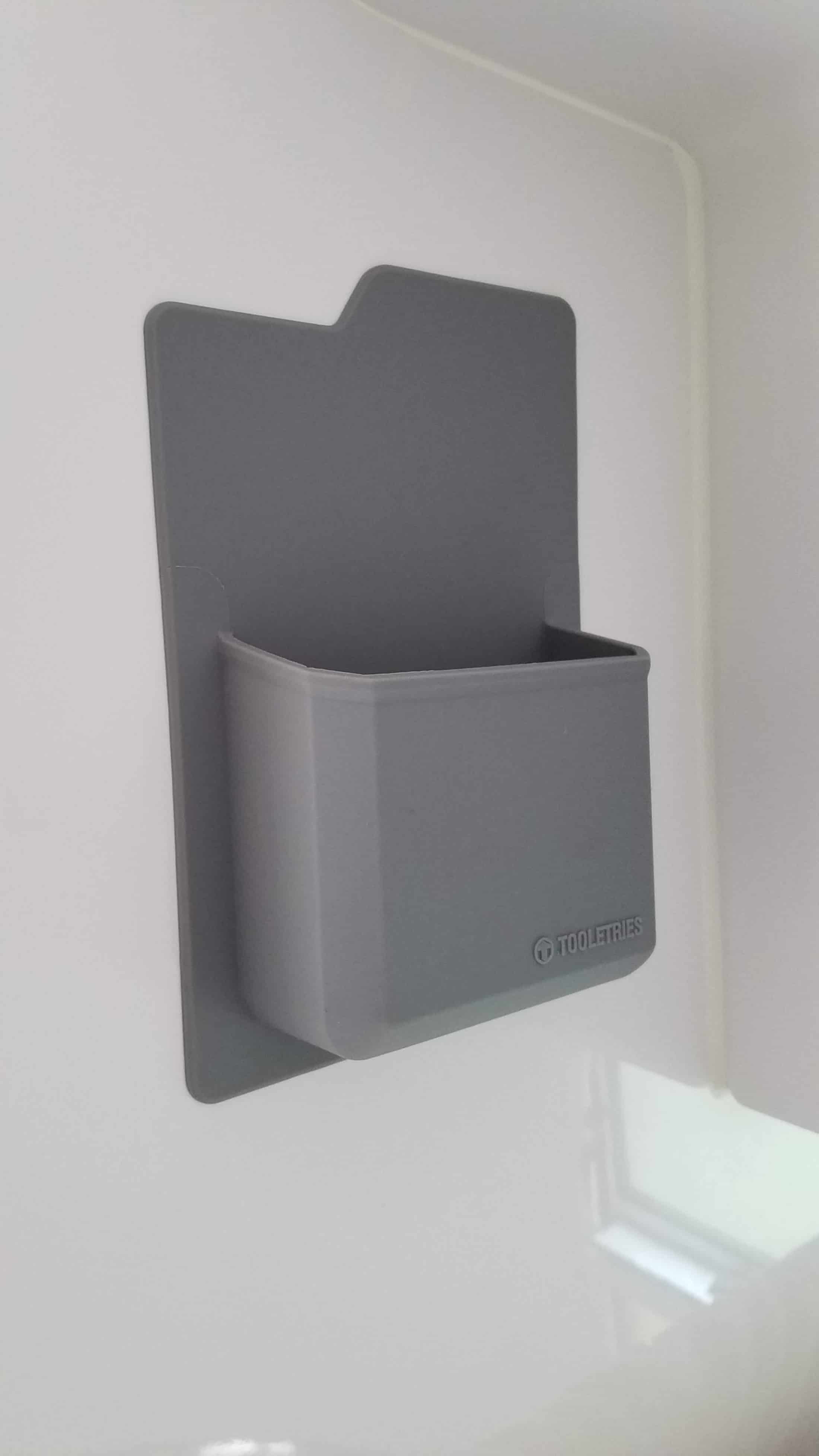
While technically not cubbies, I did find these little silicone pockets extremely handy on our recent family reunion trip. They stayed in place for 14 days, nearly 3000 miles, 1 COE, 1 NP, 7 SP campgrounds and held a variety of odds and ends. They weren’t cheap at $10 a piece on close out at Bed Bath & Beyond, so I bought one and went home to try it out. I liked it so much that I went back and bought the other 5. So we have 4 white ones in the cabin area and 2 grey ones in the bath. And then I stumbled across a different brand at Kohl’s that holds a beer can and we used it for a bottle of water in the bath to rinse after brushing our teeth. Mike
 2 points
 -
see Updates below Update: some have reported back that the holder now shipping doesn’t fit the new 7pin plugs Oliver now uses. The plugs a MM bigger than the holder. An alternative is to tuck your 7 pin up under the fiberglass cowling on the tongue. The 7 pin fits snugly there out of the rain for storage. This afternoon my wife said.... "I noticed the tail lights of the trailer on this morning. It's not hooked to the truck. Are they supposed to be on?" When I went out to look and sure enough the rear tail lights were on. I went immediately to look first at the "emergency brake" switch and then at the front 7 pin connector...which has a "rubber cover" on it to keep water out. We had 2" of rain in the past day and that rubber 7pin cover did a much better job of keeping the water in. I drained the connector, blew it out and dried it with air. Then cleaned it and lubricated it with electrical silicone grease. The lights are no longer on. I'm assuming this was a draw from the house batteries through that connector. Passing along if of any use to folks in the future. If there's a similar post somewhere I didn't find it in a quick search. Craig Short1 point
-
Another owner recommended this holder for the plug and I can second the recommendation. It's sturdy, holds the plug securely and seems to do a great job of keeping it dry. Especially if you combine it with a jack cover like this, you shouldn't have any problems.1 point
-
You can clean and dry the inside of the connector and the wire attach points with alcohol and a soft brush (or use spray contact cleaner). Then seal up the cables where they enter the back of the cover with silicone sealer. If you keep the plug dangling down when not in use, it will stay relatively dry inside. John Davies Spokane WA1 point
-
You probably have the fan set to high or low instead of auto. The fan speed controls the fan in the AC unit, so you have to keep it set on auto with the furnace so that the AC fan doesn't come on. It's just a goofy quirk of Dometic thermostats.1 point
-
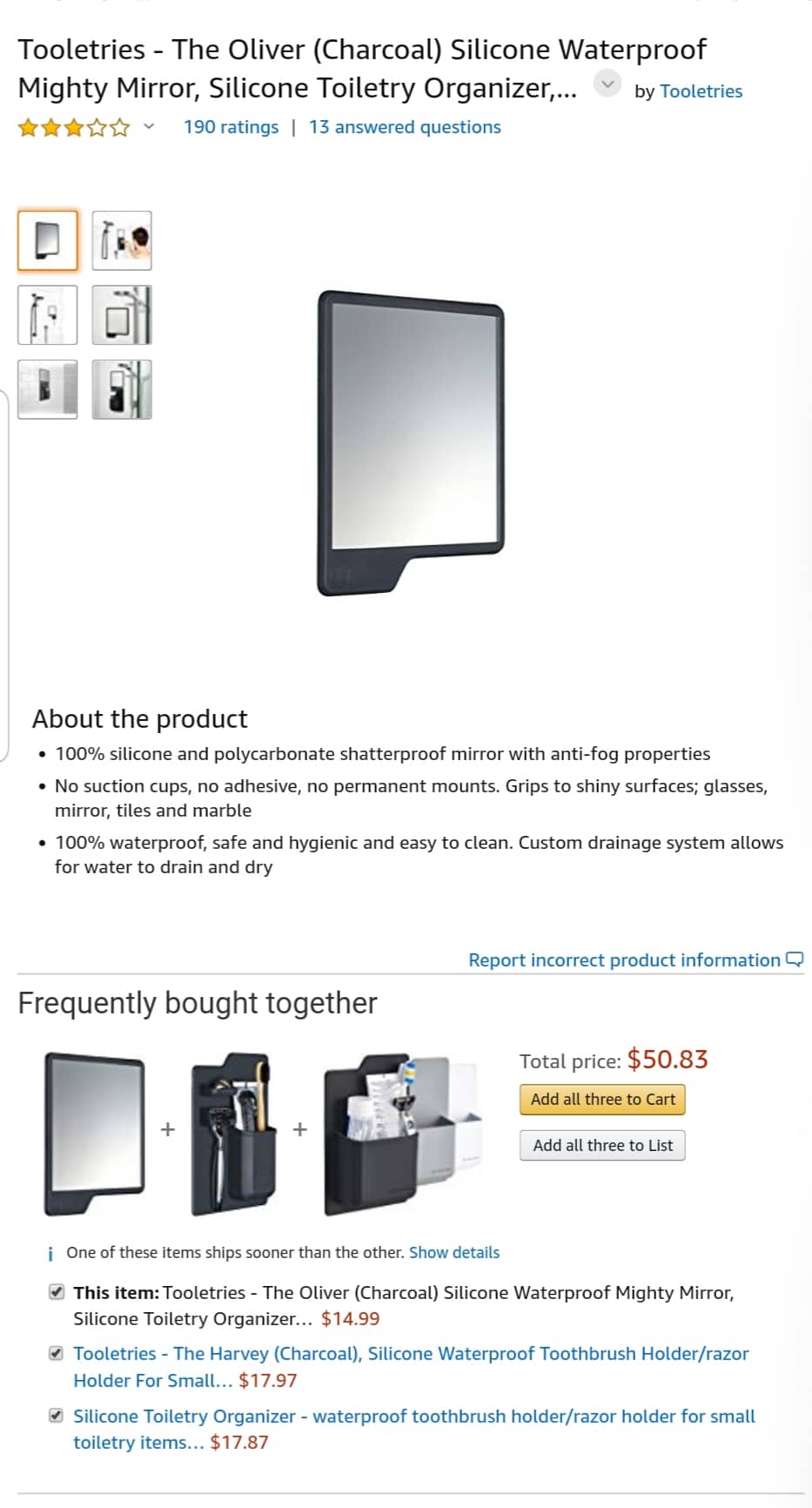
Mike, those look great. No adhesive, no suction cups. I looked up similar items on Amazon. A bathroom mirror is labeled "Oliver." ?
1 point
-
Good move. I was wondering if you went up there. My wife was going to go watch my niece's soccer game in Chinook but it got rained out yesterday. Figured you'd be stuck for a couple of days! For future reference, even if it rains hard, its usually good to go again after a couple of days on the main roads anyway. If you like to fish and you ever end up in Georgetown again, give it a go, there are monster trout in there. Have fun1 point
-
What happen to a good book and checkers.1 point
-
https://www.rvmobileinternet.com/cradlepoint-changing-support-policy-requiring-service-contract-for-firmware-security-updates/ This is a little concerning if true - $180/year to keep your box updated/secure from cradlepoint. I am going for the modem installed in the outside WiFi ranger unit. Ideally it'd be category 12 LTE and all that, but it will probably be good enough. Upside is I didn't really have to lift a finger to make it happen as Oliver installs it and does all the holes in the roof. V3 will also support Band 71 for those T-Mobile/Millenicom users. I also agree with overland that with a good 4G or better signal, a signal booster isn't really needed. We went with the signal booster more for voice calls when in edge/3G land. We don't expect to use it much, but when we do need it, it will be nice to have. Beyond that, we have a Delorme InReach which I've used on my bike expeditions, so that at least gets short text messages out to whoever we want, wherever we want (as long as we can see the sky).1 point






-
Recent Achievements
-